
Type, Enter, done
Any text that isn’t a command is matched against app names. Enter launches the highlighted best match. With an empty prompt you see your most-used apps, ranked by frecency.
$ kolahal --help
Type, Enter, done
Any text that isn’t a command is matched against app names. Enter launches the highlighted best match. With an empty prompt you see your most-used apps, ranked by frecency.
Every profile, one list
Personal, work, Android 15+ private space and clone profiles appear together, tagged [W]
[S] [C]. Pause or resume the work profile from the header or with work off.
A log you can act on
Every command and its output is a block with a coloured gutter. Tap a line for its main action. Long-press for an action sheet with copy, share, open, rerun and more.
Scripts in Lua or JS
Timers (every 30m, at 08:00), notifications, header status lines and @command scripts that
take arguments. They run sandboxed in a separate process.
Feeds and notifications
Built-in RSS/Atom subscriptions with unread counts. With notification access, new notifications show up in the log in their app’s colour.
Little tools built in
= 2^10, = 5 km in mi, = 100 usd in eur, web search, call, sms, app shortcuts, screen
time and an unlock counter.
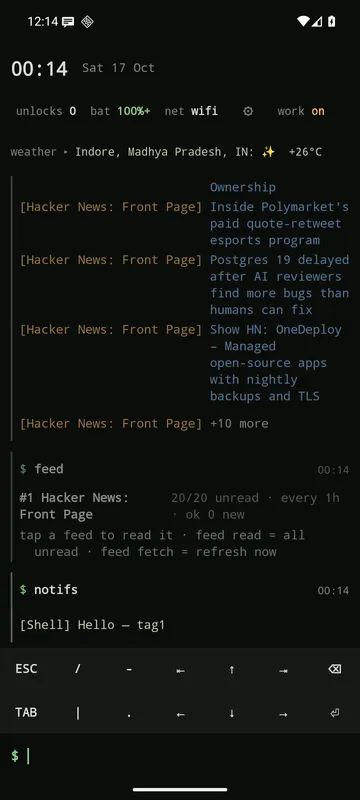
feed, notifs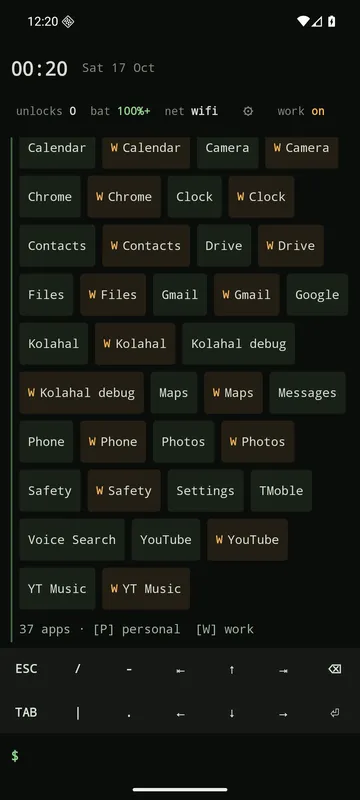
apps: personal and W work chips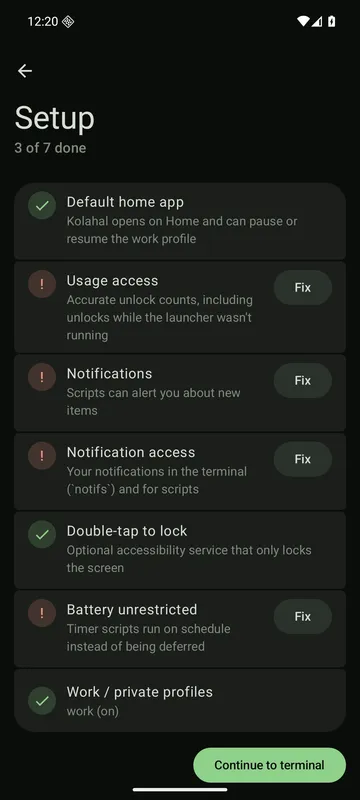
setup: first-run checklisttheme green (the default) · amber · mono · dracula · solarized · gruvbox · gruvbox-material.
This site uses the green palette in dark mode and gruvbox light in light mode.
Get it running
Build and install, then go through the setup checklist.
Learn the prompt
Basics: suggestions, the key bar, tap and long-press, and keyboard shortcuts.
Write a script
Scripting overview, the API reference and the script library.